Future Journey Map Part 2
Identify areas where you can improve your solution to provide a better user experience.
Part 2 of the Future Journey Map is all about evaluating your solution. You will have already tested your idea with users and gotten feedback. Now it’s time to highlight the areas in your Future Journey Map that could use some improvement.
 3-5 people
 45-90 minutes
What you’ll need
- Pens or markers
- Sticky notes
- A solution
Prerequisite Activities
- Future Journey Map Part 1
- Research Activity
- Experiment Canvas Part 1
- Experiment Canvas Part 2
Downloadable Materials
Instructions
Review your experiment results
Your team should have collected data about how the solution is performing with users. Share the information from Experiment Canvas Part 1 and Part 2 with everyone.
Map the key issues
Use the Future Journey Map Part 1 that you created earlier. Write down the key issues you learned from your experiment on a sticky note. Use one note per issue. You can either add the note directly to the location where the issue occurs or create another row at the bottom of the journey map.
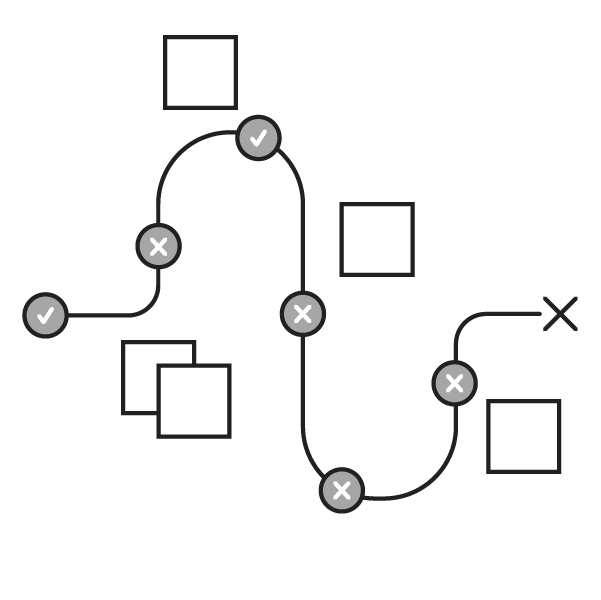
Review the issues
Share and review the key issues together. Take a look at the overall user experience. Identify the ones that are most critical to improve. You can use MoSCoW to organize requirements before thinking of solutions.
Discuss solutions
As a group, think of some possible solutions to address the user experience issues. Give your team time to consider a variety of solutions before jumping to decision making. Use Jam Session or Lotus Blossom to generate new ideas.
Assign action items
Once you’ve decided on some solutions, assign the appropriate people to create them. Incorporate the changes and revise your solution based on user feedback.